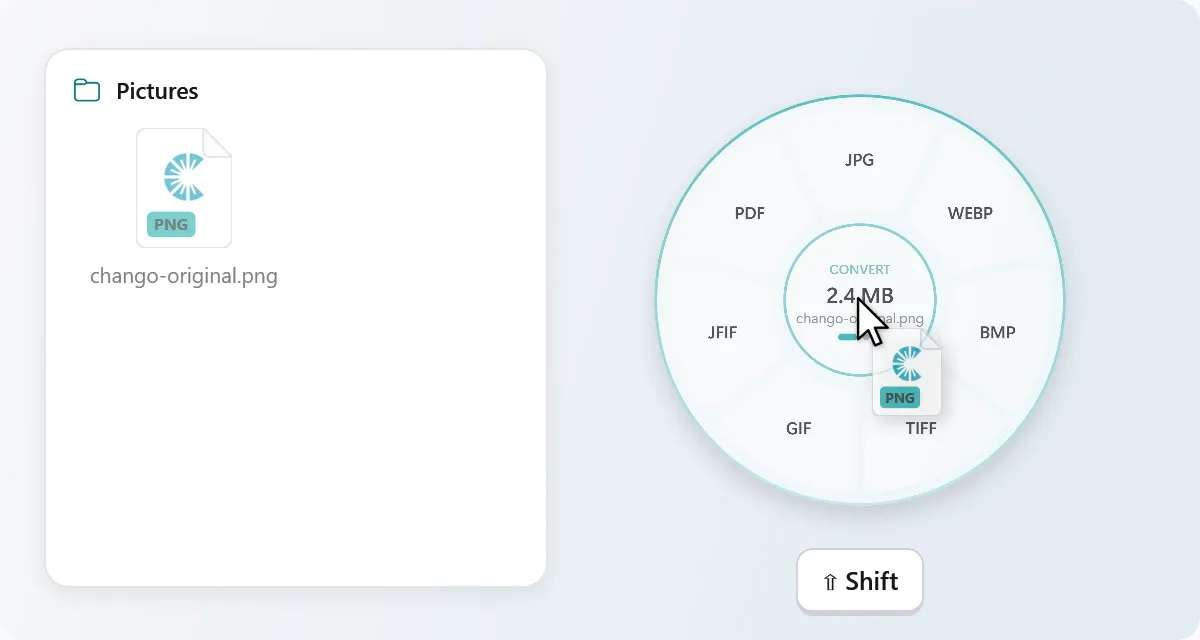
Drag, then tap Shift
Start dragging files in File Explorer or on the desktop and keep holding. Tap Shift and the wheel opens around your pointer.
The drag-and-drop file converter for Windows. Drag a file, tap Shift, let go on the format you want. It all happens on your PC.
 Coming soon
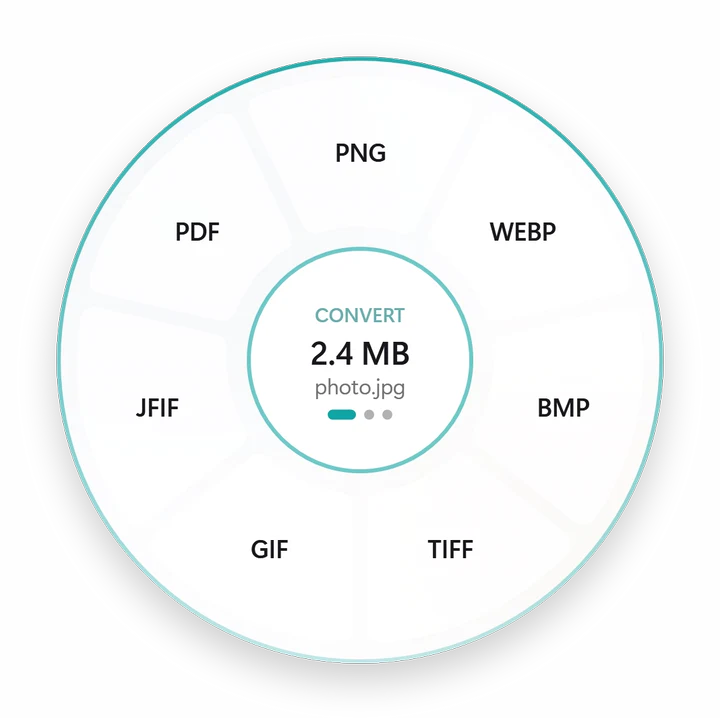
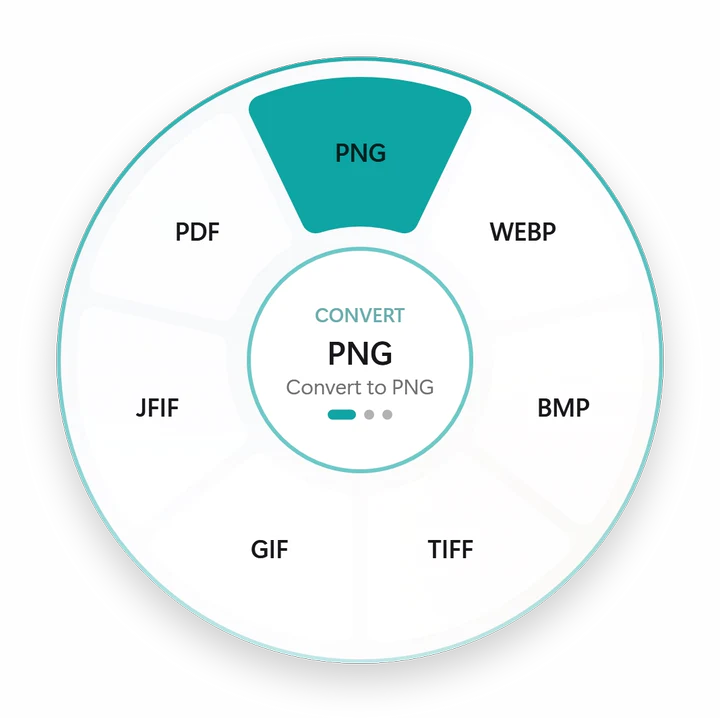
Pick up any file below and keep holding. Tap Shift (or hold still), then let go on what you want.
Chango waits quietly in the notification area until you need it. Then it's one gesture, wherever your files are.
Start dragging files in File Explorer or on the desktop and keep holding. Tap Shift and the wheel opens around your pointer.
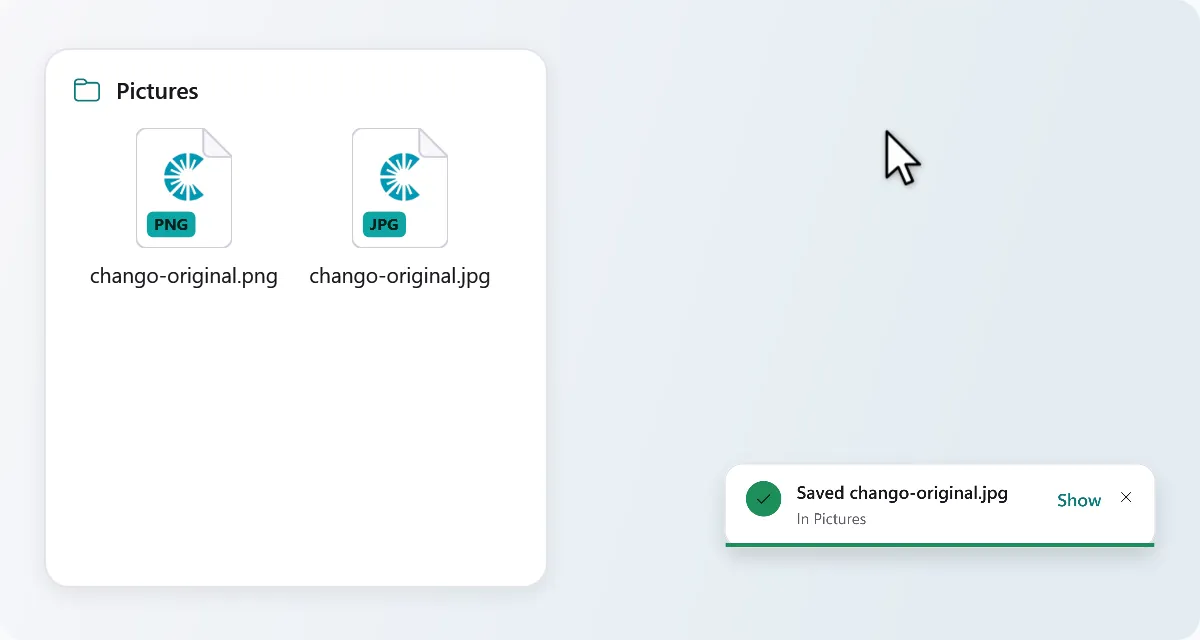
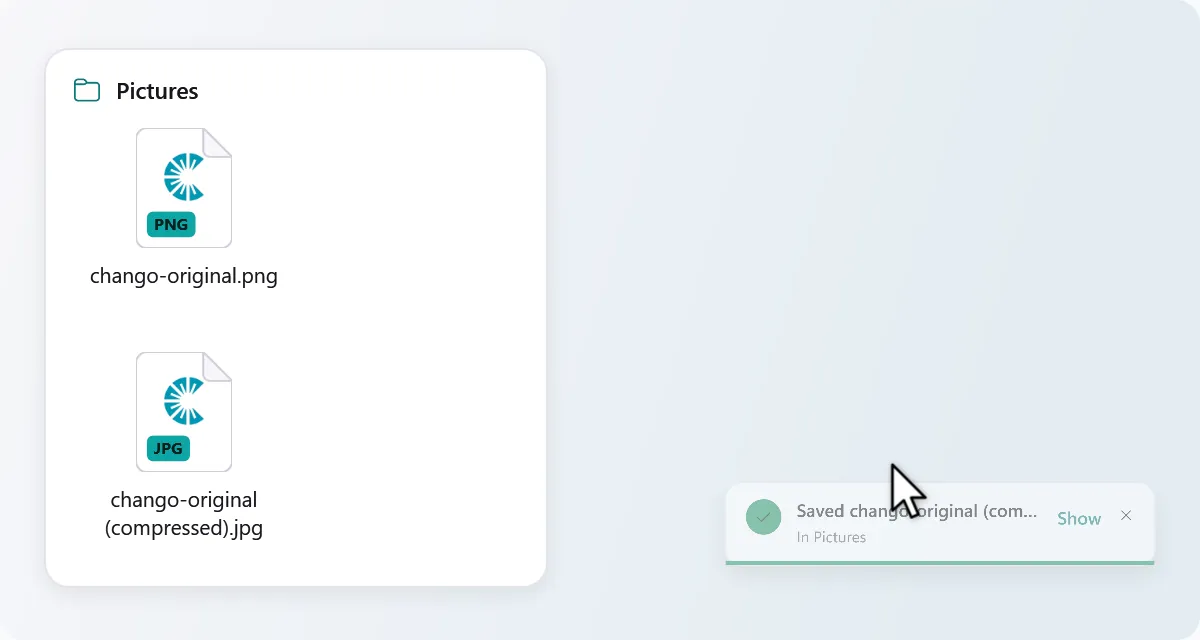
Drop on a format and the new file appears next to the original. The original is never changed.
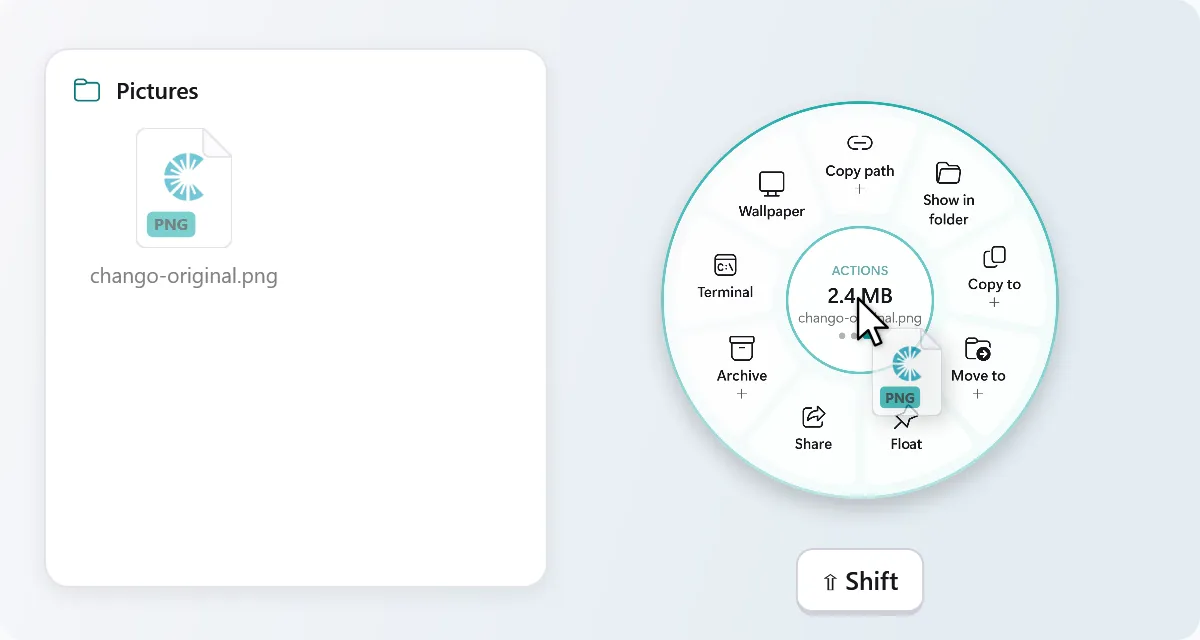
Each tap switches between Convert, Tools and Actions. Let go in the middle, or press Esc, to cancel.
Rather click? Select files and press Ctrl + Alt + Space. Or right-click and choose Chango. Changed your mind? Undo for a few seconds.
Convert
Images, documents, PDFs, spreadsheets, slides, video, audio and subtitles, each into the formats that make sense for it.
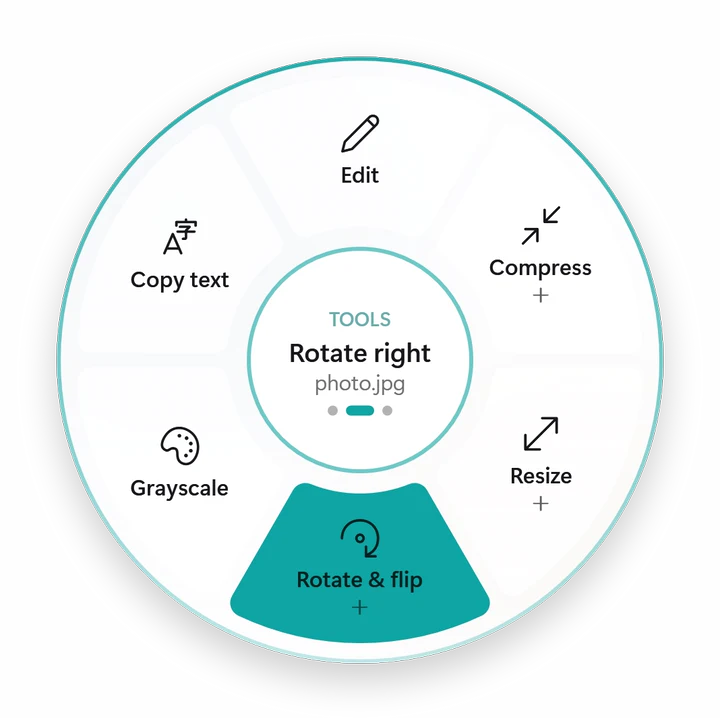 Tools
Tools
Shrink, crop, rotate or clean up a file in the same move, and get on with your day.
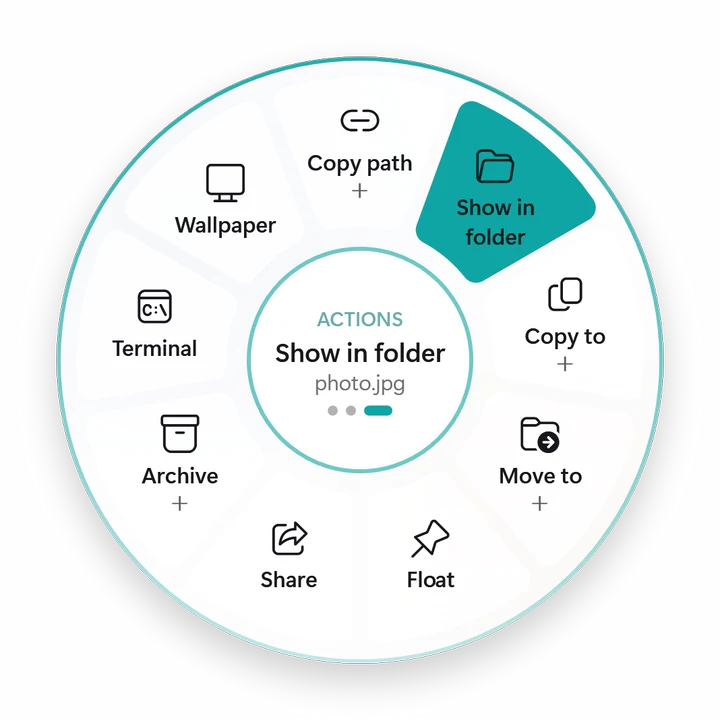 Actions
Copy, move, share or zip files without hunting through menus. Actions work on folders too.
Slices marked + open into more options when you rest on them: compress to a size, resize to a width, or pick from more video formats. Big menus, still one gesture.
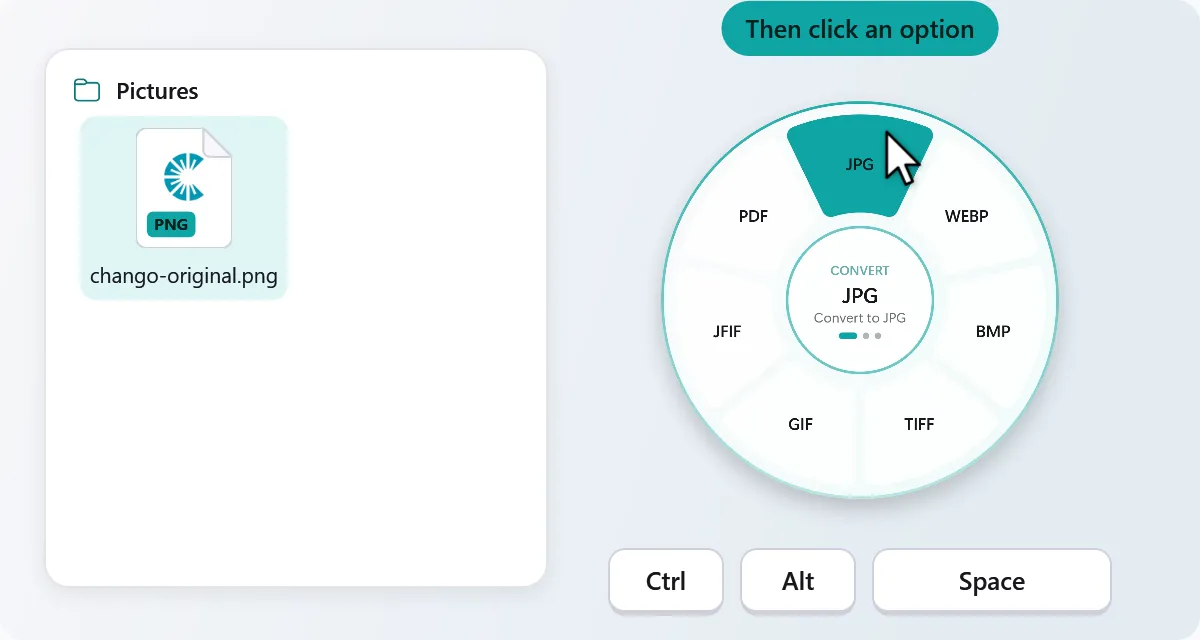
Some days you'd rather click. Chango works the way you do.
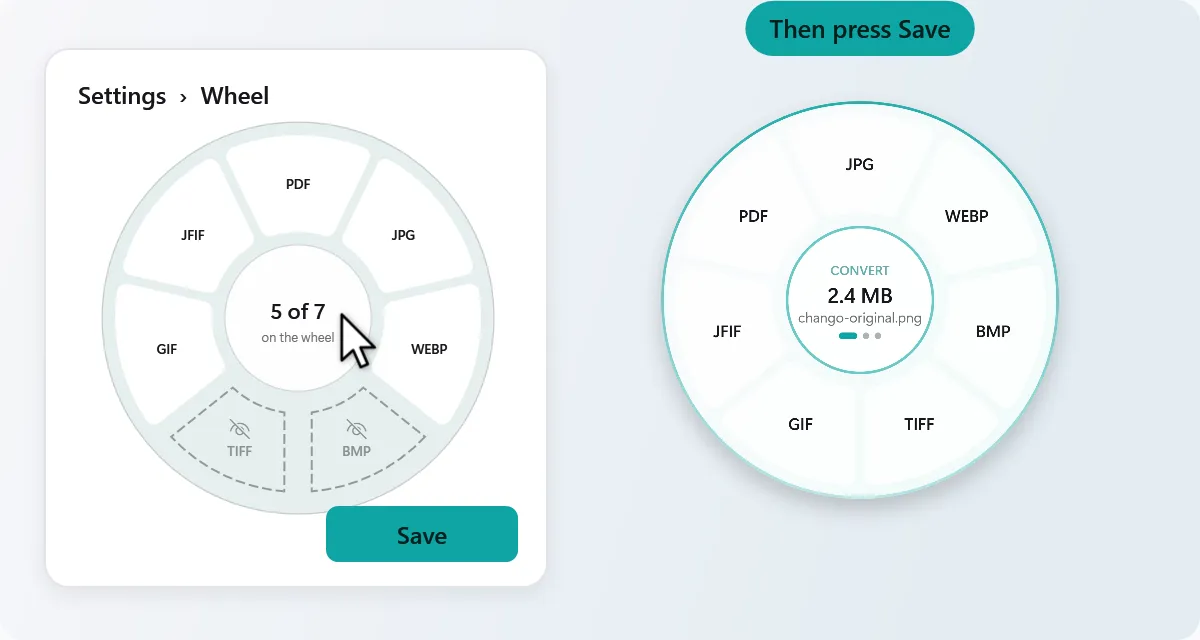
Hide the slices you never use and put your favourites first. Settings → Wheel shows every wheel: click a slice to hide it, drag it to move it, then save.
Drop a whole selection. Chango works through it and shows its progress.
Every result can be undone for a few seconds. It goes to the Recycle Bin.
Results get their own name beside the original, which stays exactly as it was.
Crop, adjust, mark up and redact before you share.
Make ZIP, 7Z or TAR.GZ. Open ZIP, 7Z, RAR, TAR, ISO and more.
No internet needed for any conversion, ever.
Follows your Windows theme, or pick the one you like.
The first time it starts, a hands-on guide lets you try the gesture on a sample file.
Online converters take your file, process it on their server and hand it back. Chango does the same work on your own PC.
 Chango
Chango collects no personal data. Read the privacy policy; it's short.
Images, media, subtitles, archives, CorelDRAW and PDF to PowerPoint, Excel or text are all built in. For Word, Excel and PowerPoint files, Chango uses Microsoft Office, or free LibreOffice if you'd rather.
HEIC, AVIF, JPEG XL and RAW photos open with the codecs Windows provides. Install free FFmpeg and the extra video and audio formats appear on their own.
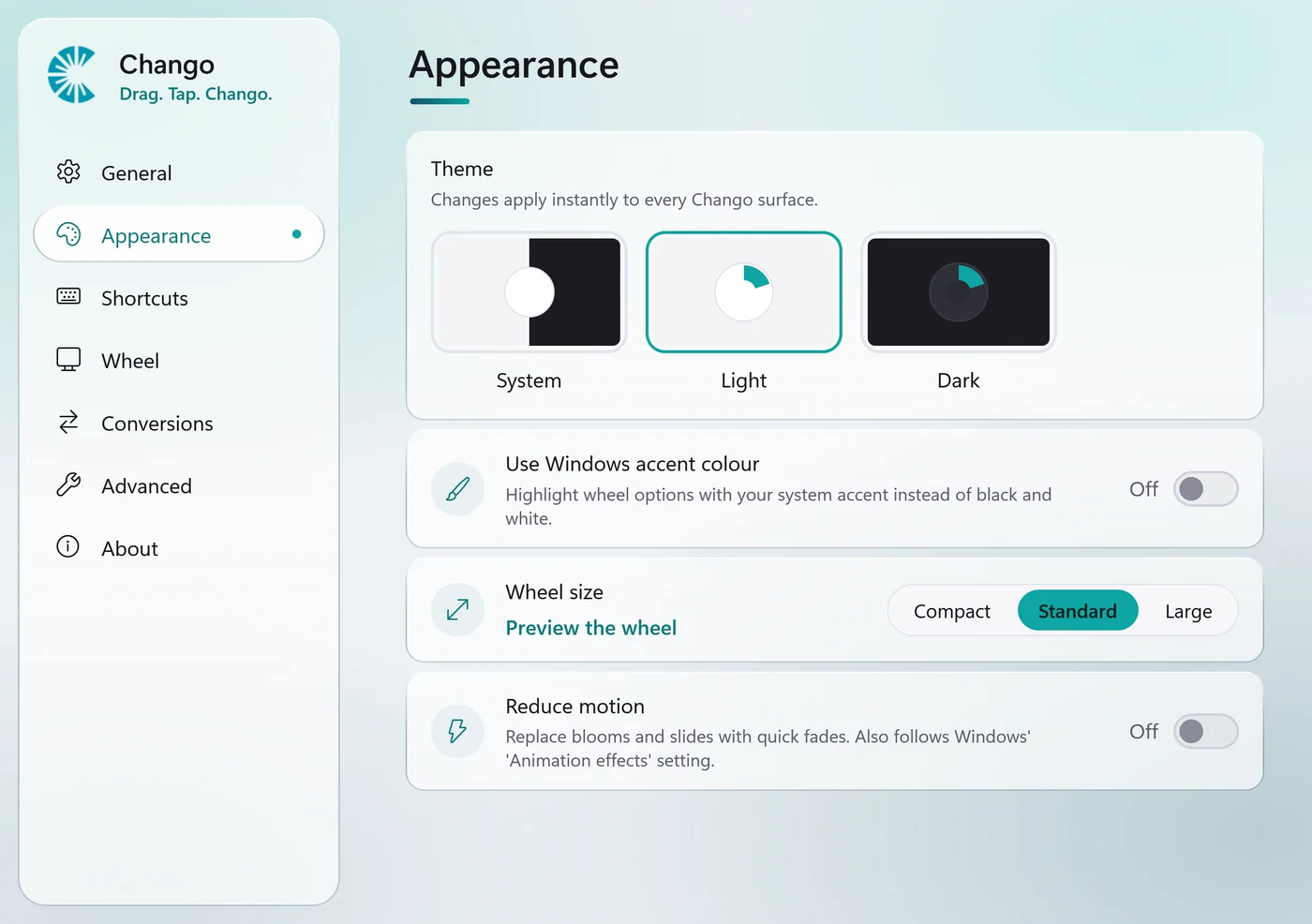
It starts quietly and waits in the notification area. Settings and the tour are one click away.
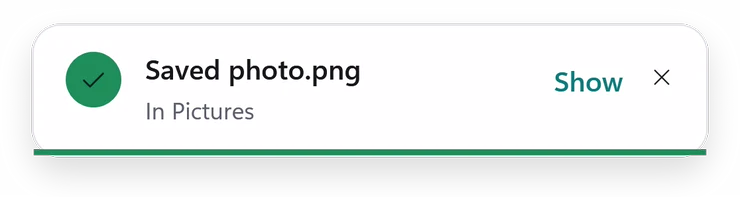
See where the new file went, open it in its folder, or undo it.
Frosted glass, rounded corners and your light or dark theme, on Windows 10 too.
For Windows 10 (version 2004 or later) and Windows 11, on 64-bit PCs.
One-click install, and the Store keeps Chango up to date for you.
Coming soon Until then, use the installer.
The classic setup. Installs for your account only, so it doesn't need administrator rights.
No install. Unzip it anywhere, even a USB stick, and run Chango.exe.
Chango finds these on its own, even if you install them while it's running.
winget install Gyan.FFmpegFor extra video and audio formats.
winget install TheDocumentFoundation.LibreOfficeFor Word, Excel and PowerPoint files if you don't have Microsoft Office.
Yes. There's no trial, no limit on files, no ads and no paid tier. Chango is open source under the MIT licence, so anyone can read the code on GitHub.
No. Every conversion, edit and action runs on your PC. Chango doesn't send your files, their names or anything about you anywhere.
The only network request is an update check in the version from GitHub, which asks GitHub whether a newer version exists. You can turn it off in Settings → About. The Microsoft Store version makes no requests of its own. Details are in the privacy policy.
Windows 10 version 2004 (build 19041) or later, and Windows 11, on 64-bit (x64) PCs.
Only for Word, Excel and PowerPoint files, and free LibreOffice works instead. Converting a PDF to Word needs Microsoft Word; PDF to PowerPoint, Excel, text or Markdown is built in. Images, video, audio, subtitles, archives and CorelDRAW files need nothing extra.
FFmpeg is a free media tool. With it installed, Chango adds more formats: MKV, WebM, MOV, AVI, OGG, Opus and AIFF. Install it with winget install Gyan.FFmpeg; Chango notices it automatically.
Select files and press Ctrl + Alt + Space, then click an option. Or right-click files or folders in File Explorer and choose Chango.
Yes. Every result can be undone for a few seconds after it's made, and undone files go to the Recycle Bin. Your original file is never changed in the first place.
The downloads on GitHub aren't code-signed yet, so Windows doesn't recognise them at first. Choose More info → Run anyway. The Microsoft Store version is signed by Microsoft and doesn't show this warning.
No. The installer installs Chango for your account only, and the portable version runs from any folder.
Go to Settings → Apps → Installed apps and uninstall Chango. To remove its settings and logs too, delete %APPDATA%\Chango and %LOCALAPPDATA%\Chango.
A native Mac app with the same drag, tap and let-go wheel is in development.
Drag. Tap. Chango. Free, private, and right where your files already are.
Coming soon